
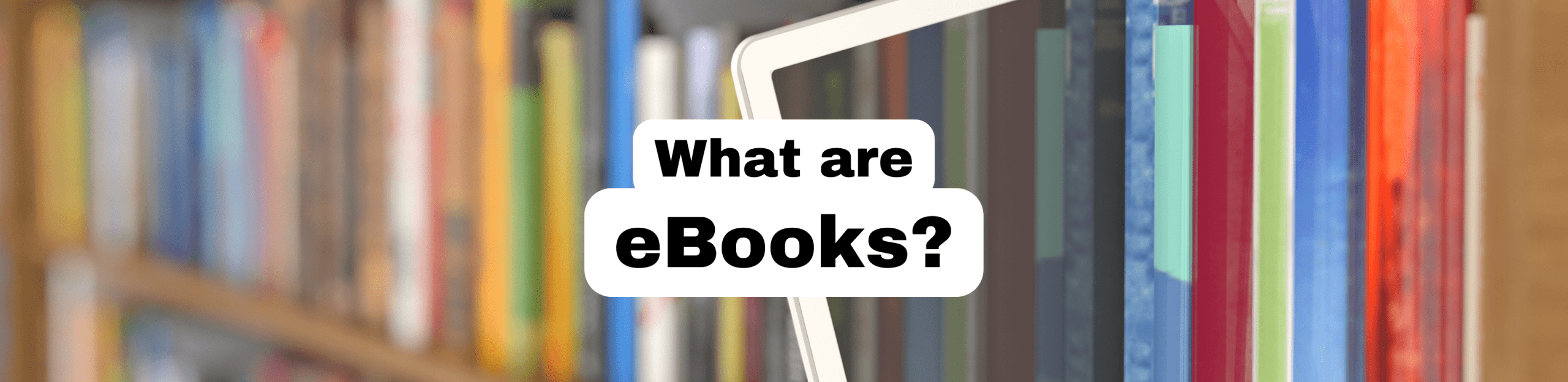
What are eBooks?
Consider this your crash course in eBooks.
Class is in session!
Today we will cover:
What is an eBook?
Simply put, an eBook is an electronic book.

eBooks cannot be edited and are compatible with numerous devices, including smartphones, tablets, computers, and e-readers.
An ebook can consist of electronic text or also include audio, video, or hyperlinks.
Who are eBooks for?
The answer might surprise you…
eBooks are for readers of all ages!

Why should you try eBooks?
We’re so glad you asked!

Ease of Use
eBooks can be read anytime, anywhere. You can carry an entire library in your pocket!
Since your books are saved on a smart device or eReader, they are lightweight and easy to carry. You don’t have to carry stacks of books anymore, so skip your workout today. You deserve it.
Most devices automatically bookmark where you left off. You can even start your eBook on one device and continue on another without losing your place.
Features
Just like Google, eBooks are searchable. Enter keywords, a character name, or a phrase, and the eBook will return a list of pages for you to browse. In addition, most devices come with a built-in dictionary and thesaurus.
Readers can take notes, highlight passages, bookmark pages, and more without marking up a physical copy of the book. Some authors even include hyperlinks giving you access to additional information!
eBooks come with accessibility features for every type of reader. Check out the settings to adjust the font size, screen brightness, and backlighting.
Readers who are visually impaired or readers with learning difficulties can benefit from the customizable settings and interactive features.


Savings
Save space! Carry thousands of books on your digital device at once.
Save money! Borrowing books from the library gives you access to over 761,000 eBooks for free with your library card.
Save the environment! Less paper means more trees. Everybody loves more trees.
Where do I find eBooks?
Guess what? You have options!

Libby
Libby is available for all Parkland Community Library patrons with an active library card.
No monthly borrowing limits. Patrons can check out up to 8 books at once. Place up to 8 holds on your account at one time.
NOTE: Libby will be replacing the OverDrive app on May 1, 2023. Click here to learn more.

Hoopla
Hoopla is only available to Parkland School District residents and to paying nonresidents with an active Parkland Community Library Card.
Limit 5 instant borrows per month. No wait times.
Limit 5 Flex borrows at one time. Find new and popular books you can borrow or place a hold. Flex borrows are separate from your instant borrows.

EBSCO
EBSCO eBooks are available to all Parkland Community Library patrons with an active library card.
Select from over 16,000 books from the world’s leading publishers across all major subject areas.
Perform full-text searches of a single eBook, search thousands of volumes simultaneously, browse topic categories, or read eBooks directly online.
No borrowing limits or restrictions.
How do I check out an eBook?
Access your free eBooks in 5 steps or less.

Libby
Step 1: Search the title of the book
Step 2: Tap the eBook cover art
Step 3: Tap Borrow (the book is available) or Place a Hold (the book has a waitlist)
Step 4: Tap Go to Shelf
Step 5: Select if you would like to read the eBook on your current device or send a copy to your Kindle for download

Hoopla
Step 1: Search the title of the book
Step 2. Tap the eBook cover art
Step 3: Tap Borrow (instant and Flex titles) or tap Hold (Flex titles only)
Step 4: Tap Read

EBSCO
Step 1: Search the title of the book
Step 2: Click on the eBook title
Step 3: Click Full Download or PDF Full Text for a PDF version of the book
With over 761,000 eBooks to choose from, Parkland Community Library has a book for every reader. Check out the links below to access our digital collection for free with your library card!
Ready to download an eBook?
Grab your library and try one of Parkland Community Library’s free sources for eBooks!
Catalog Features
Welcome to Aspen We are excited to introduce an improved Aspen library experience. Explore our updated catalog with new features! Enjoy faster searches and see all available formats in your results. Titles are now grouped by format, including audiobooks, large print, Playaways, and more. Aspen has upgraded the rating system for a straightforward, user-friendly experience.…
October News
2026 It is time for spooky season! Be sure to visit and explore our collection of spooky tales and eerie stories this season. Whether you want a terrifying read or a spectral adventure, we have options for every fan of the macabre. Join us at the Parkland Community Library this fall for all the fun…
The Local Fold
A PCL Communizine: CALL FOR SUBMISSIONS What is Parkland making? Parkland Community Library is creating a community zine filled with art, writing, photography, and creative work made by the people who live here. For our first issue, we’re inviting Parkland residents to submit original work by November 30, 2026, for a chance to be included…